UX Case Study: Kitchen Measurement Guidance for Homeowners
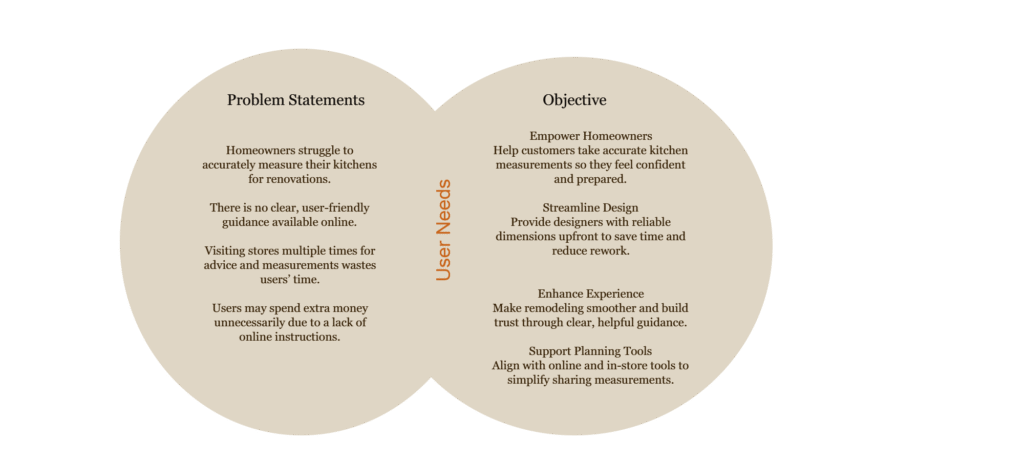
From my experience as a kitchen designer, I’ve noticed that accurately measuring kitchens can be quite challenging for homeowners on a renovation or design project.
Target Audience
Homeowners planning a kitchen remodel
Individuals with limited experience in measuring for renovations
Users who prefer convenient, digital solutions over repeated store visits
User Research
Methods Used:
Quantitative: Customer surveys, online feedback forms, store appointment data
Qualitative: In-depth interviews with homeowners, shadowing customer appointments
Key Insights:
70% of homeowners make at least one major mistake when measuring
46% said they felt stressed or confused by the process
45% wished they could avoid multiple store visits just to ask how to measure
Personas
| Persona | Bio | Goals | Pain Points | Need |
|---|---|---|---|---|
| Milica – Remodeling Homeowner | 38 years old, busy mother of two, lives in suburban area. Wants a modern kitchen but has little design knowledge. | – Measure kitchen accurately without errors- Stay on budget- Avoid hiring extra help | – No clear online guide for measurements- Doesn’t want to spend money on professional measuring tools- Worried about making mistakes | I wish I could find a simple step-by-step measuring guide in the app. |
| Eathen – Time-Conscious Customer | 42 years old, full-time working professional. Prefers efficiency and digital tools to save time. | – Save time and avoid unnecessary store visits- Complete measurement & design in one flow- Get reliable results quickly | – Feels multiple store visits for basic guidance waste her time- Wants fewer appointments before design consultation- Current process feels inefficient | I don’t want to schedule two appointments just for measurements and then design. |
Empathy Maps
| Persona | Says | Thinks | Does | Feels |
|---|---|---|---|---|
| Milica – Budget-Remodeling Homeowner | I want step-by-step instructions. I don’t want to spend money just to learn how to measure. | I hope I don’t make mistakes and waste money. I wish there were an easy, free way to measure my kitchen. | Search online for measurement guides. Tries DIY measurements.Borrows tools from friends. | Confused, anxious, cautious about extra costs. |
| Eathen – Time-Conscious Planner | I just want it done efficiently. I don’t have time for repeated store visits. | Visiting the store multiple times is a waste of my time. need a faster, more convenient solution.” | Checks apps and websites for guides.Attempts measuring at home.Postpones planning if too complex. | Frustrated, stressed, pressed for time. |
User Journey able: Milica
| Step | User Action | Pain Points | Opportunities |
|---|---|---|---|
| Awareness | Searches online for kitchen measurement guides | Information is scattered, confusing | Provide a clear, structured guide on the app/website |
| Tries to measure the kitchen using DIY tools | Unsure which measurements matter, risk of mistakes | Step-by-step instructions with visual aids and checklists | |
| Consideration | Considers buying specialized measuring tools | Extra cost is undesirable | Offer free or in-app virtual measurement tools |
| 4 | Inputs measurements into the app or planner | Uncertainty about whether the data is accurate | Add validation and tips to ensure correct input |
| Decision | Finalizes design plan | Stress about whether the measurements are correct | Provide feedback or confirmation that measurements are accurate |
User Journey : Eathen
| Step | User Action | Pain Points | Opportunities |
|---|---|---|---|
| 1 | Visits the store to ask about measuring the kitchen | Long wait times, unclear instructions | Offer a digital self-service measurement guide |
| 2 | Book a design appointment | Scheduling conflicts, wasted time | Integrate appointment booking with the in-app measurement workflow |
| 3 | Attempts to measure the kitchen at home | Unsure of process, risk of mistakes | Provide a guided video or interactive measurement tool |
| 4 | Submits measurements for design planning | Anxiety about accuracy | Auto-check measurements and offer confirmation |
| 5 | Reviews the design plan | Hesitant to finalize due to uncertainty | Provide visual feedback showing how measurements fit in the design |
Usability Testing
Tasks Tested:
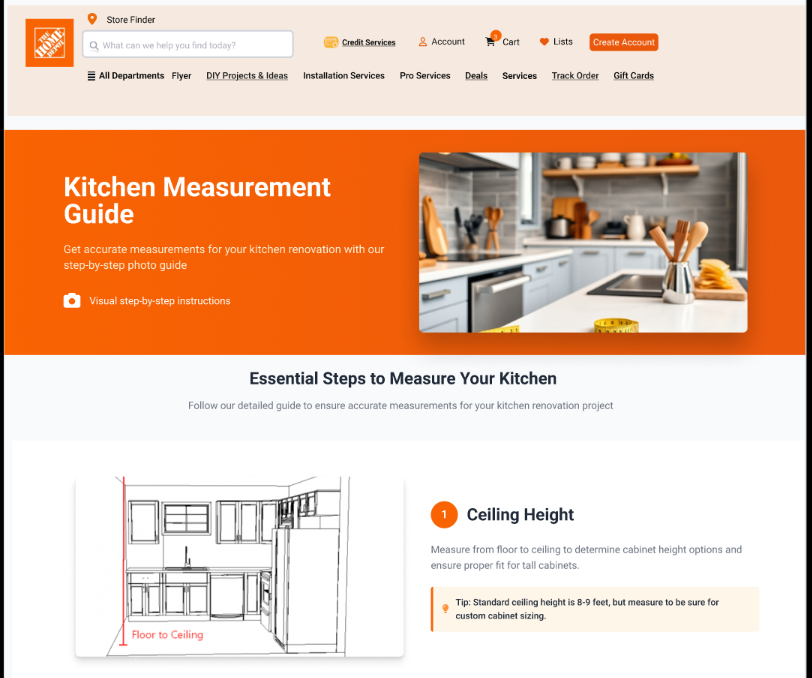
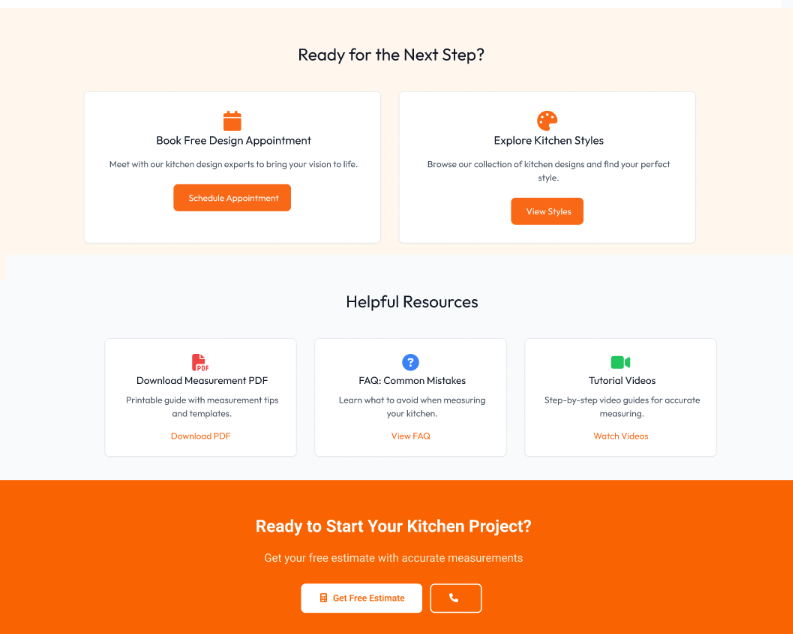
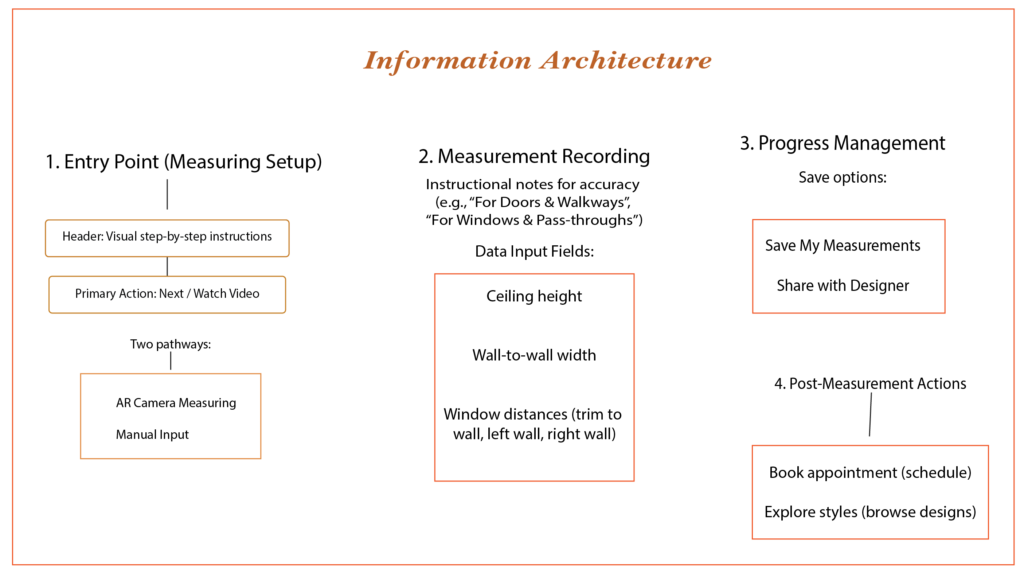
Website, and app feature that guides users step by step through measuring their kitchen.
Features included:
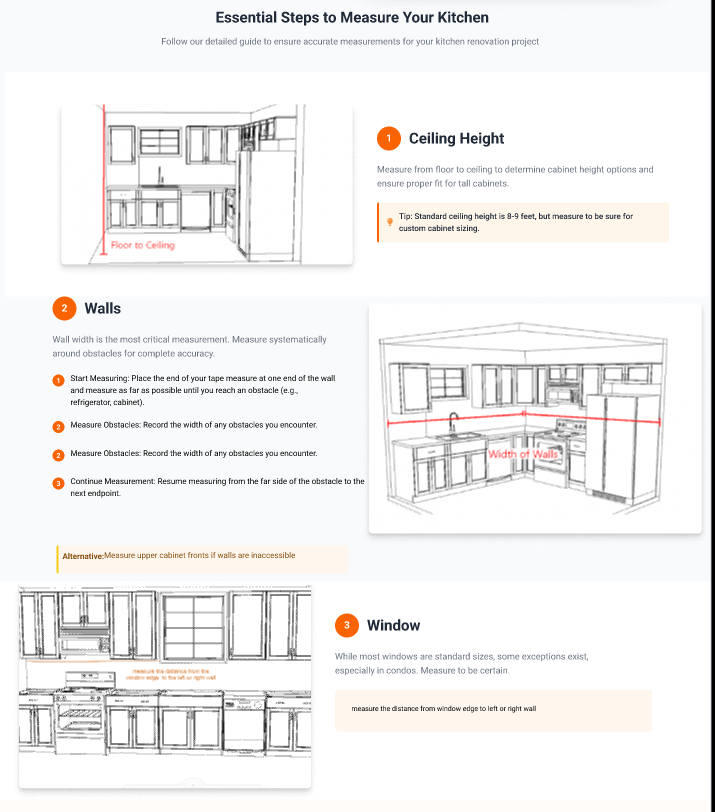
Visual measurement guide (illustrations & instructions).
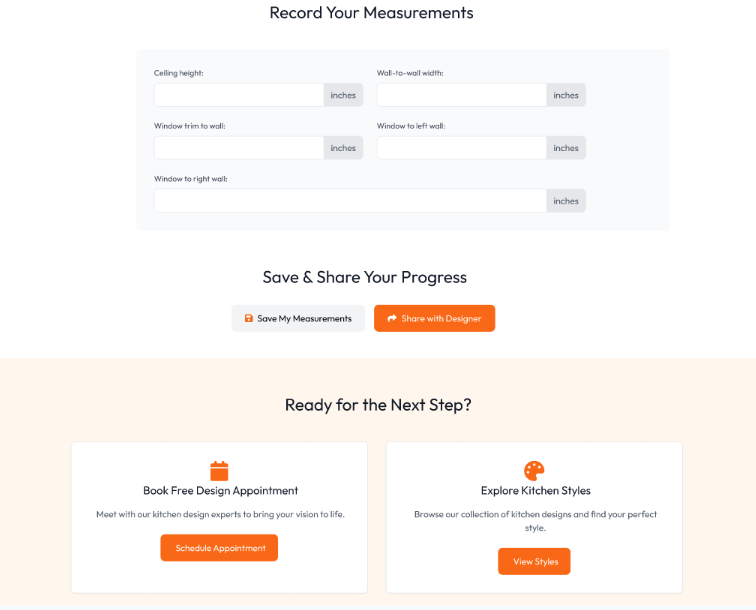
Checklist of required measurements.
Virtual measuring tool (phone camera for AR measurement).
Option to upload/store measurements for design planning.
Results:
| Task | Success Rate | Average Time | Observed Issues | User Feedback |
|---|---|---|---|---|
| Measure cabinet width | 100% | 2 minutes | Some confusion about where to start | The step-by-step visuals made it easier. |
| Measure ceiling height | 80% | 3 minutes | 1 user held the phone incorrectly with AR tool | I liked the camera tool, but it needs clearer instructions. |
| Enter & save measurements | 100% | 1.5 minutes | No major issues | Nice that I can save and reuse later. |
| Review measurements for appointment | 100% | 2 minutes | Users wanted confirmation that the values are valid | It would be great if the app told me if something seemed off. |
| Task | Success Rate | Average Time | Observed Issues | User Feedback |
|---|---|---|---|---|
| Measure cabinet width | 100% | 2 minutes | Some confusion about where to start | The step-by-step visuals made it easier. |
| Measure ceiling height | 80% | 3 minutes | 1 user held the phone incorrectly with AR tool | I liked the camera tool, but it needs clearer instructions. |
| Enter & save measurements | 100% | 1.5 minutes | No major issues | Nice that I can save and reuse later. |
| Review measurements for appointment | 100% | 2 minutes | Users wanted confirmation that the values are valid | It would be great if the app told me if something seemed off. |
Success Rate Chart → Most tasks were completed successfully, but measuring ceiling height had a slightly lower success rate (80%).
Average Time on Task Chart → Ceiling height measurement also took the longest (3 minutes), while entering/saving and reviewing measurements were quicker.
User Flow